Introduction
The technology industry is no longer limited to students with a Computer Science or Information Technology degree. Today, people from commerce, management, arts, science, humanities, and other educational backgrounds are entering the technology sector by learning practical and job-oriented skills.
One of the most popular career options among students and working professionals is web development.
But a common question remains:
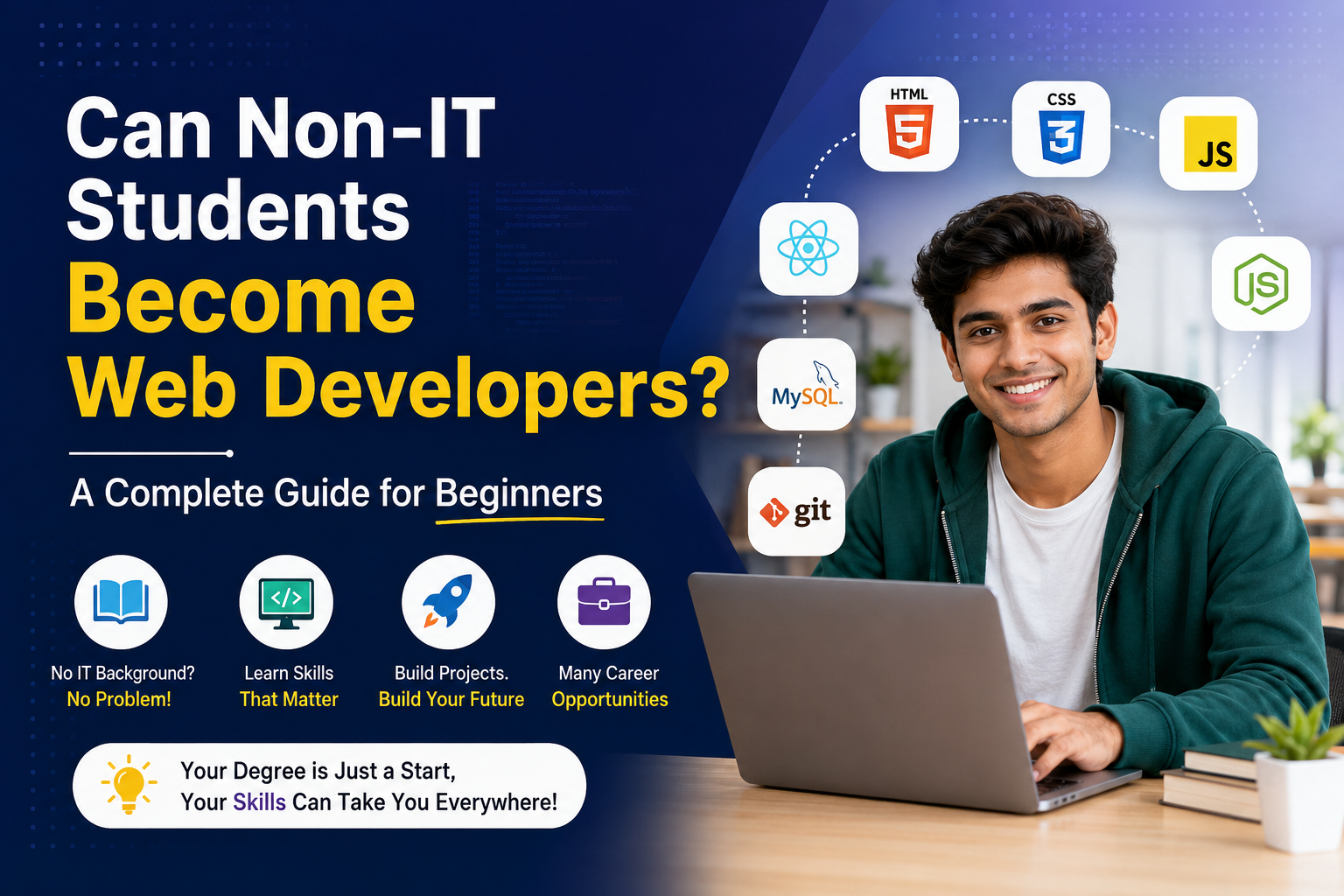
Can non-IT students become web developers?
The answer is yes, absolutely.
Web development is a skill-based career. While an IT or Computer Science background can provide an advantage in understanding programming concepts, it is not a compulsory requirement for becoming a successful web developer. With the right learning strategy, consistent practice, practical projects, and proper guidance, students from non-IT backgrounds can build the technical knowledge required to enter the web development industry.
In fact, students from non-IT backgrounds can bring valuable skills such as communication, creativity, business understanding, problem-solving, management, and analytical thinking to web development.
This guide explains how non-IT students can become web developers, what they should learn, how long the journey may take, which technologies are important, what projects they should build, and how they can prepare for employment or freelancing.
What Is Web Development?
Before understanding how a non-IT student can enter this field, it is important to understand what web development actually means.
Web development is the process of creating, developing, maintaining, and improving websites and web applications.
Web developers work on everything from simple business websites and blogs to complex e-commerce platforms, banking applications, educational portals, dashboards, and online services.
Web development is generally divided into three major areas:
1. Frontend Development
Frontend development focuses on everything users see and interact with on a website.
Frontend developers commonly work with:
- HTML
- CSS
- JavaScript
- Responsive design
- JavaScript frameworks and libraries
- User interfaces
- Web accessibility
- Browser compatibility
For example, buttons, menus, forms, animations, images, layouts, and interactive elements are generally part of the frontend experience.
2. Backend Development
Backend development focuses on the server-side functionality of a website or application.
Backend developers work with:
- Programming languages
- Databases
- APIs
- Authentication
- Server-side logic
- Data processing
- Security
The backend is responsible for making sure that the application works correctly behind the scenes.
3. Full Stack Development
A Full Stack Developer understands both frontend and backend development.
This means they can work on the complete development process, from designing a user interface to building server-side functionality and connecting databases.
For beginners looking for broader career opportunities, learning full stack development can be a valuable option.
Why Can Non-IT Students Become Web Developers?
There is a misconception that programming is only for Computer Science graduates.
In reality, programming is a learnable skill.
Just as someone learns accounting, marketing, graphic design, or a foreign language through education and practice, programming can also be learned step by step.
A non-IT student does not need to understand everything on the first day.
The learning process can begin with basic concepts such as:
HTML → CSS → JavaScript → Projects → Frameworks → Backend → Database → Deployment
The important factors are:
- Willingness to learn
- Consistent practice
- Logical thinking
- Patience
- Problem-solving ability
- Practical project experience
Your degree may determine where you start, but your skills, portfolio, projects, and ability to solve problems can significantly influence where you go.
Advantages Non-IT Students Bring to Web Development
Interestingly, students from non-IT backgrounds may have several skills that can become useful in web development.
1. Business Understanding
Students with backgrounds in management, commerce, or business may understand customer requirements, marketing, sales, and business processes.
This can be particularly useful when developing:
- E-commerce websites
- Business websites
- CRM platforms
- Marketing websites
- Business dashboards
- Startup applications
2. Communication Skills
A developer does not work in isolation.
Developers often communicate with:
- Clients
- Designers
- Project managers
- Marketing teams
- Business owners
- Other developers
Good communication can therefore become an important professional advantage.
3. Creativity
Students from arts, design, media, and humanities backgrounds may have strong creative abilities.
This can be useful in:
- UI design
- Website layouts
- User experience
- Content presentation
- Branding websites
4. Problem-Solving
Programming is essentially about solving problems.
Whether you are fixing a website bug or building a new feature, you need to understand the problem and develop a logical solution.
Students can develop this skill through regular coding practice.
What Should Non-IT Students Learn First?
One of the biggest mistakes beginners make is trying to learn everything simultaneously.
A better approach is to follow a structured roadmap.
Step 1: Understand How Websites Work
Before writing complex code, understand basic concepts such as:
- What is a website?
- What is a web browser?
- What is a server?
- What is a domain?
- What is web hosting?
- What is HTTP and HTTPS?
- What is a database?
- What is an API?
You do not need to become an expert immediately.
The goal is to understand the basic ecosystem.
Step 2: Learn HTML
HTML stands for HyperText Markup Language.
It provides the basic structure of a webpage.
Beginners should learn:
- HTML elements
- Headings
- Paragraphs
- Links
- Images
- Lists
- Tables
- Forms
- Semantic HTML
- Audio and video
- Basic accessibility
For example, when you create a webpage containing a heading, paragraph, image, and form, HTML provides the basic structure.
HTML is usually one of the easiest starting points for beginners.
Step 3: Learn CSS
After learning HTML, the next step is CSS.
CSS stands for Cascading Style Sheets.
CSS controls the appearance and layout of a webpage.
You can use CSS to control:
- Colors
- Fonts
- Spacing
- Borders
- Layouts
- Buttons
- Animations
- Responsive design
Beginners should learn concepts such as:
- Selectors
- Box model
- Flexbox
- CSS Grid
- Positioning
- Media queries
- Responsive layouts
Learning responsive design is particularly important because websites need to work across different screen sizes.
Step 4: Learn JavaScript
Once you understand HTML and CSS, you can begin learning JavaScript.
JavaScript is one of the most important programming languages for modern web development.
It allows developers to create interactive websites.
For example, JavaScript can be used for:
- Interactive forms
- Menus
- Calculators
- Image sliders
- Dynamic content
- Validation
- Web applications
- API interactions
Beginners should focus on understanding programming fundamentals rather than memorizing code.
Important concepts include:
- Variables
- Data types
- Operators
- Conditions
- Loops
- Functions
- Arrays
- Objects
- Events
- DOM manipulation
- Asynchronous programming
Step 5: Learn Git and GitHub
Once you start creating projects, you should learn version control.
Git is a version control system that allows developers to track changes in their code.
GitHub provides a platform where developers can store and collaborate on code repositories.
Learning Git and GitHub can help you:
- Manage projects
- Track changes
- Collaborate with developers
- Showcase projects
- Build a professional portfolio
For students looking for web development jobs, having a well-organized GitHub profile can be useful.
Step 6: Choose a Frontend Framework
After becoming comfortable with HTML, CSS, and JavaScript, students can learn a modern frontend framework or library.
Popular options include:
- React
- Angular
- Vue
React is particularly popular in many development environments, but the best technology to learn depends on your career goals and the type of jobs you are targeting.
Do not rush into frameworks before understanding JavaScript fundamentals.
Step 7: Learn Backend Development
If you want to become a full stack developer, you should eventually learn backend development.
Popular backend technologies include:
- Node.js
- Python
- PHP
- Java
- .NET
A beginner can choose one technology rather than attempting to learn all of them.
For example, someone comfortable with JavaScript may choose Node.js because it allows them to use JavaScript on the server side as well.
Step 8: Learn Databases
Modern websites and applications often need to store information.
For example, an e-commerce website may store:
- Customer details
- Product information
- Orders
- Payments
- Inventory
This is where databases become important.
Beginners can learn concepts related to:
- SQL
- Relational databases
- NoSQL databases
- CRUD operations
- Database relationships
- Data modeling
Popular database technologies include MySQL, PostgreSQL and MongoDB.
Step 9: Understand APIs
APIs allow different software systems to communicate with each other.
For example, a weather application may communicate with a weather service through an API to retrieve weather information.
Developers should understand:
- HTTP requests
- GET
- POST
- PUT
- DELETE
- JSON
- Authentication
- API responses
Understanding APIs is an important part of modern web development.
Step 10: Build Real Projects
This is one of the most important steps for non-IT students.
Do not only watch tutorials. Build projects.
Projects transform theoretical knowledge into practical skills.
Beginners can start with:
Beginner Projects
- Personal portfolio website
- Calculator
- To-do list
- Landing page
- Digital clock
- Simple blog
Intermediate Projects
- Weather application
- Expense tracker
- Quiz application
- E-commerce frontend
- Student management system
- Job portal interface
Advanced Projects
- Full stack e-commerce application
- Learning management system
- Recruitment platform
- Inventory management system
- Business dashboard
- Real-time communication application
Projects also give you something valuable to discuss during interviews.
How Long Does It Take for a Non-IT Student to Become a Web Developer?
There is no fixed timeline because everyone learns at a different pace.
However, with consistent learning and practice, a beginner can gradually develop job-ready skills.
A possible roadmap could look like this:
| Learning Stage | Approximate Duration |
|---|---|
| HTML & CSS | 3–5 weeks |
| JavaScript fundamentals | 6–10 weeks |
| Git & GitHub | 1–2 weeks |
| Frontend framework | 4–8 weeks |
| Backend development | 6–10 weeks |
| Database | 3–5 weeks |
| Projects & portfolio | Ongoing |
These durations are only approximate. The quality of practice is more important than completing topics quickly.
Can a Non-IT Student Get a Web Development Job?
Yes.
Companies generally need people who can solve problems and build useful digital products.
Depending on their skills, non-IT students can apply for roles such as:
- Junior Web Developer
- Frontend Developer
- Backend Developer
- Full Stack Developer
- WordPress Developer
- UI Developer
- Web Designer
- Junior Software Developer
- Freelance Web Developer
However, students should not expect a job simply because they completed a course.
They should develop demonstrable skills.
A strong combination is:
Learning + Projects + Portfolio + GitHub + Interview Preparation
How Can Non-IT Students Build a Strong Portfolio?
Your portfolio is your digital introduction to potential employers.
A good portfolio website should include:
About Me
Briefly explain your background and your transition into web development.
Skills
Mention technologies you actually understand.
For example:
- HTML
- CSS
- JavaScript
- React
- Node.js
- Database
- Git
Projects
Show your best projects.
For each project, explain:
- What problem it solves
- Technologies used
- Your contribution
- Key features
- GitHub repository
- Live demo, if available
Resume
Include an updated resume that highlights your technical skills and projects.
What Challenges Do Non-IT Students Face?
Although becoming a web developer is possible, non-IT students may face some challenges.
1. Fear of Programming
Many beginners believe that programming is extremely difficult.
The reality is that programming becomes easier when concepts are learned gradually.
Start with simple programs instead of immediately attempting complicated applications.
2. Lack of Technical Background
An IT student may already know basic computer concepts.
A non-IT student may need to spend additional time understanding technical terminology.
This is completely normal.
3. Information Overload
There are thousands of programming tutorials, courses, frameworks, and technologies online.
Trying to learn everything can create confusion.
Choose a roadmap and follow it consistently.
4. Lack of Practice
Watching videos is not the same as coding.
A student can watch hours of tutorials and still struggle to build a website.
Practice is essential.
How Can Non-IT Students Overcome These Challenges?
A practical strategy can make the learning journey easier.
Follow One Learning Path
Do not jump between multiple technologies.
Start with:
HTML → CSS → JavaScript → Git → Framework → Backend → Database → Projects
Code Every Day
Even 60–90 minutes of regular coding can be more valuable than studying randomly for several hours once a week.
Build Alongside Learning
Whenever you learn a concept, try using it in a small project.
Learn to Read Documentation
Professional developers regularly use documentation.
Learning how to find and understand technical information is an important skill.
Ask Questions
When you get stuck, research the error, check documentation, discuss it with mentors, or use reliable learning resources.
Do Non-IT Students Need a Computer Science Degree?
Not necessarily.
A Computer Science degree can provide a strong theoretical foundation, but web development is also highly skill-oriented.
Many people learn development through:
- Online courses
- Bootcamps
- Training institutes
- Self-study
- Projects
- Internships
- Mentorship
However, students should understand that learning web development involves more than learning a few programming languages.
A good developer should gradually develop knowledge of:
- Programming fundamentals
- Data structures
- Databases
- APIs
- Security
- Version control
- Testing
- Deployment
- Problem-solving
Web Development Course for Non-IT Students
For students starting from zero, a structured web development course can provide a clearer learning path than random online tutorials.
A good course should ideally include:
- Beginner-friendly curriculum
- HTML and CSS
- JavaScript
- Responsive web design
- Frontend development
- Backend development
- Databases
- Git and GitHub
- APIs
- Practical projects
- Industry-oriented assignments
- Portfolio development
- Interview preparation
The biggest benefit of structured training is that learners can progress systematically instead of constantly wondering what to learn next.
Why Practical Training Matters
Web development is a practical skill.
You cannot become a good developer simply by memorizing definitions.
Suppose a student learns what a form is but never creates one.
Their theoretical knowledge may not be enough to handle a real project.
Practical training gives learners opportunities to:
- Write code
- Make mistakes
- Debug problems
- Build projects
- Work with tools
- Understand development workflows
- Improve problem-solving skills
This is why project-based learning should be an important part of any web development course.
Can Non-IT Students Become Freelance Web Developers?
Yes.
Freelancing is another potential career path.
A freelance web developer can create websites for:
- Small businesses
- Startups
- Coaches
- Consultants
- Restaurants
- Educational institutions
- E-commerce businesses
- Local service providers
Initially, freelancers can focus on smaller projects and gradually build their portfolio.
Important freelance skills include:
- Web development
- Communication
- Requirement gathering
- Project estimation
- Client management
- Time management
- Basic marketing
- Professional documentation
A strong technical skill combined with good communication can help freelancers build long-term client relationships.
Can Non-IT Students Work in Startups?
Absolutely.
Startups often require employees who can perform multiple responsibilities.
A developer working at a startup may need to:
- Build webpages
- Fix bugs
- Connect APIs
- Work with databases
- Communicate with designers
- Understand customer requirements
- Deploy applications
Students with business or management backgrounds may find their understanding of business requirements particularly useful in such environments.
Web Development and AI: What Should Beginners Know?
Artificial intelligence is changing how developers work.
AI tools can help developers with tasks such as:
- Explaining code
- Finding errors
- Generating basic code
- Creating documentation
- Brainstorming solutions
- Learning programming concepts
However, AI does not remove the need to understand programming.
A beginner who cannot understand code may struggle to identify whether AI-generated code is correct, secure, efficient, or appropriate.
Therefore, students should use AI as a learning and productivity assistant, not as a replacement for fundamental programming knowledge.
Skills Beyond Coding That Web Developers Need
Technical skills are important, but professional success also depends on other abilities.
Communication
You need to explain technical concepts clearly.
Problem-Solving
Developers constantly encounter bugs and unexpected problems.
Time Management
Projects often have deadlines.
Teamwork
Modern software development is usually collaborative.
Adaptability
Technology changes continuously.
Continuous Learning
A good developer keeps learning throughout their career.
A Simple Web Development Roadmap for Non-IT Students
Here is a practical roadmap you can follow:
Stage 1: Computer & Web Basics
↓
Stage 2: HTML
↓
Stage 3: CSS & Responsive Design
↓
Stage 4: JavaScript
↓
Stage 5: Git & GitHub
↓
Stage 6: Frontend Framework
↓
Stage 7: Backend Development
↓
Stage 8: Database
↓
Stage 9: APIs
↓
Stage 10: Real-World Projects
↓
Stage 11: Portfolio & Resume
↓
Stage 12: Interview/Freelancing Preparation
Following a structured roadmap can prevent beginners from becoming overwhelmed.
Frequently Asked Questions
Can a BBA student become a web developer?
Yes. A BBA student can learn web development and build a career in the field through structured learning, coding practice, and practical projects.
Can an MBA student learn web development?
Yes. MBA students can learn web development, especially if they are interested in technology, startups, digital businesses, or entrepreneurship.
Can arts students become web developers?
Yes. Arts students can also learn web development. Programming fundamentals can be learned progressively regardless of academic background.
Is coding difficult for non-IT students?
Coding may seem difficult initially because it introduces new concepts and terminology. However, consistent practice and a structured learning approach can make it easier.
Do I need mathematics to become a web developer?
You do not need advanced mathematics for most entry-level web development tasks. Logical thinking and problem-solving are generally more important.
Can I learn web development without a Computer Science degree?
Yes. A Computer Science degree is not mandatory for learning web development. Practical skills, projects, and demonstrable ability are important.
Is web development a good career option in 2026?
Web development remains an important technology skill because businesses, organizations, startups, and individuals continue to need websites and web applications. However, students should continuously update their skills as technologies evolve.
Final Thoughts
So, can non-IT students become web developers?
Yes — and your educational background does not have to stop you.
A student from commerce, management, arts, science, or another non-IT background can learn web development by starting with the fundamentals and gradually progressing toward advanced technologies.
The key is not to try to become an expert overnight.
Start with HTML. Learn CSS. Understand JavaScript. Build small projects. Learn Git. Move toward frontend and backend development. Work with databases and APIs. Create real-world projects. Build a portfolio. Then start applying for internships, jobs, freelance projects, or other opportunities.
Most importantly, remember:
Your degree may introduce you to a career, but your skills can help you build it.
If you are a non-IT student interested in entering the technology industry, a structured and practical web development course can help you build the foundation, projects, and confidence required to begin your journey.
Start learning. Start building. Start your web development journey today.