Introduction
Completing a web development course is a significant achievement. You have learned the fundamentals of HTML, CSS, JavaScript, databases, frameworks, and web technologies. However, the real challenge begins after the course ends. Employers and clients are not only interested in certifications; they want to see practical skills demonstrated through real-world projects.
Building projects is the best way to strengthen your coding skills, create a professional portfolio, and gain confidence as a developer. Whether you aim to become a front-end developer, back-end developer, full-stack developer, or freelancer, having a collection of impressive projects can set you apart from the competition.
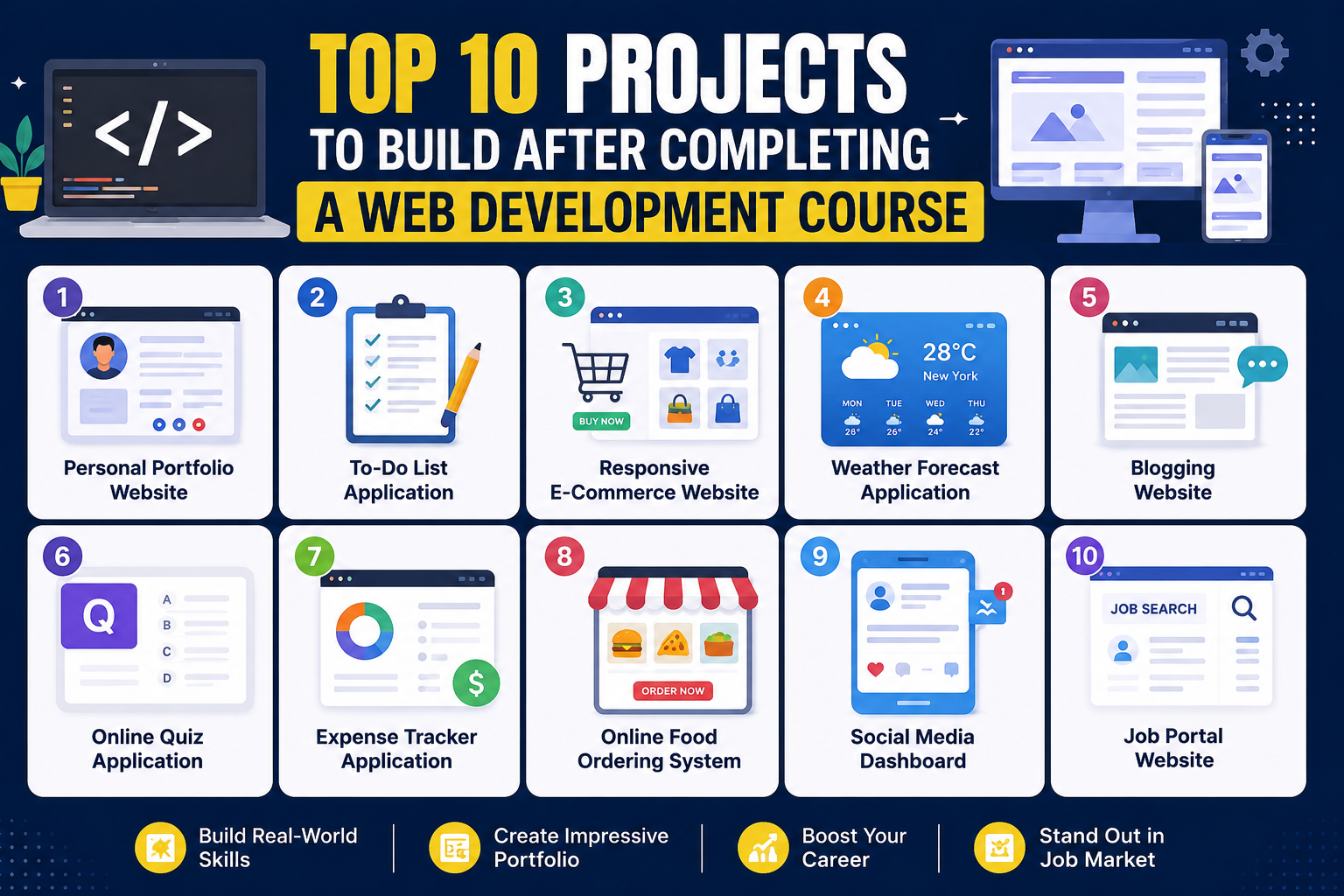
In this blog, we will explore the Top 10 Projects to Build After Completing a Web Development Course and explain how each project can help you develop valuable industry-ready skills.
Why Projects Are Important for Web Developers
Before diving into the project ideas, let's understand why projects matter.
Practical Learning
Projects allow you to apply theoretical knowledge in real-world scenarios.
Portfolio Development
A strong portfolio showcases your skills to recruiters and potential clients.
Problem-Solving Skills
Projects teach you how to overcome coding challenges and think like a developer.
Better Job Opportunities
Many companies prefer candidates with project experience over those with only theoretical knowledge.
Freelancing Readiness
Projects prepare you to handle real client requirements and earn independently.
Now, let's look at the best projects every aspiring web developer should build.
1. Personal Portfolio Website
Why Build It?
A portfolio website is your digital resume. It introduces you, showcases your skills, projects, achievements, and contact information.
Features to Include
- About Me section
- Skills showcase
- Project gallery
- Resume download option
- Contact form
- Social media links
- Responsive design
Skills You Will Learn
- HTML
- CSS
- JavaScript
- Responsive Design
- UI/UX Fundamentals
Benefits
A professional portfolio website helps employers evaluate your abilities instantly and increases your chances of getting hired.
2. To-Do List Application
Why Build It?
A To-Do List application is one of the most popular beginner projects because it teaches the fundamentals of web application development.
Features to Include
- Add tasks
- Delete tasks
- Mark tasks as completed
- Edit existing tasks
- Task filtering
- Local storage support
Skills You Will Learn
- JavaScript DOM Manipulation
- Event Handling
- Local Storage
- State Management
Benefits
This project demonstrates your understanding of user interactions and dynamic web functionality.
3. Responsive E-Commerce Website
Why Build It?
Online shopping platforms like Amazon and Flipkart have transformed the digital world. Building an e-commerce website gives you experience in creating commercial applications.
Features to Include
- Product listing page
- Product details page
- Shopping cart
- Wishlist
- Search functionality
- User authentication
- Payment integration
Skills You Will Learn
- Front-End Development
- Back-End Integration
- Database Management
- API Handling
Benefits
E-commerce projects are highly valued by recruiters because they demonstrate multiple web development skills.
4. Weather Forecast Application
Why Build It?
Weather applications help you understand how APIs work in real-world applications.
Features to Include
- Current weather data
- Search by city
- Temperature display
- Humidity information
- Wind speed details
- Weather icons
Skills You Will Learn
- API Integration
- JavaScript Fetch API
- JSON Handling
- Asynchronous Programming
Benefits
API integration is a crucial skill for modern web developers.
5. Blogging Website
Why Build It?
A blogging platform allows users to create, edit, and manage content.
Features to Include
- User registration
- Login system
- Create posts
- Edit posts
- Delete posts
- Comment section
- Categories and tags
Skills You Will Learn
- CRUD Operations
- Database Design
- Authentication Systems
- Content Management
Benefits
Blogging websites help developers understand content-driven web applications.
6. Online Quiz Application
Why Build It?
An online quiz platform combines user interaction, logic implementation, and performance tracking.
Features to Include
- Multiple-choice questions
- Timer functionality
- Score calculation
- Leaderboard
- Progress tracking
- Result page
Skills You Will Learn
- JavaScript Logic
- User Authentication
- Database Integration
- Dynamic Content Rendering
Benefits
This project showcases your ability to create interactive web experiences.
7. Expense Tracker Application
Why Build It?
Expense tracker applications are practical tools used by individuals and businesses to manage finances.
Features to Include
- Add income
- Add expenses
- Expense categories
- Monthly reports
- Data visualization
- Budget tracking
Skills You Will Learn
- Data Management
- Charts and Graphs
- Local Storage
- Financial Calculations
Benefits
Employers appreciate projects that solve real-world problems.
8. Online Food Ordering System
Why Build It?
Food delivery services have become extremely popular worldwide. Building a food ordering website helps you understand complex user workflows.
Features to Include
- Restaurant listings
- Food menu display
- Search functionality
- Cart system
- Order placement
- Payment gateway integration
Skills You Will Learn
- Full-Stack Development
- Database Relationships
- User Authentication
- API Integration
Benefits
This project demonstrates your ability to build scalable business applications.
9. Social Media Dashboard
Why Build It?
Social media platforms rely heavily on user engagement and real-time updates.
Features to Include
- User profiles
- Posts and updates
- Likes and comments
- Friend requests
- Notifications
- Activity feed
Skills You Will Learn
- Authentication Systems
- Database Management
- Dynamic Content
- User Experience Design
Benefits
This project closely resembles real-world applications used by millions of users.
10. Job Portal Website
Why Build It?
Job portals connect employers with job seekers and require multiple functionalities working together.
Features to Include
- User registration
- Employer dashboard
- Job posting system
- Resume upload
- Search and filter options
- Application tracking
Skills You Will Learn
- Full-Stack Development
- Database Management
- User Authentication
- Advanced CRUD Operations
Benefits
A job portal project demonstrates your ability to create large-scale professional web applications.
Technologies You Can Use for These Projects
Depending on your learning level, you can use the following technologies:
Front-End Technologies
- HTML5
- CSS3
- Bootstrap
- Tailwind CSS
- JavaScript
- React.js
Back-End Technologies
- Node.js
- Express.js
- PHP
- Python
Databases
- MongoDB
- MySQL
- PostgreSQL
Tools
- Git
- GitHub
- VS Code
- Postman
Learning these technologies while building projects can significantly improve your employability.
How to Make Your Projects Stand Out
Simply building projects is not enough. You need to present them professionally.
Use Responsive Design
Ensure your projects work perfectly on desktops, tablets, and mobile devices.
Add Real-World Features
Include login systems, search functionality, filters, notifications, and dashboards.
Write Clean Code
Maintain proper folder structures and comments for readability.
Host Your Projects Online
Deploy your projects so recruiters can interact with them.
Use GitHub
Upload all project source code to GitHub to showcase your development process.
Focus on User Experience
Good design and usability can make your projects more impressive.
Common Mistakes to Avoid
Many beginners make mistakes that reduce the effectiveness of their projects.
Copying Projects Without Understanding
Always understand every line of code you write.
Ignoring Mobile Responsiveness
Most users browse websites on smartphones.
Using Outdated Technologies
Stay updated with industry trends and tools.
Poor UI Design
A visually appealing interface enhances user engagement.
Not Testing Applications
Always test your projects thoroughly before deployment.
How Projects Help You Get a Job
Recruiters often ask candidates to demonstrate practical skills. Projects provide evidence of your abilities.
Projects can help you:
- Impress interviewers
- Build a strong portfolio
- Gain practical experience
- Showcase problem-solving abilities
- Increase confidence during technical interviews
- Demonstrate real-world development skills
Many successful developers have secured jobs primarily because of their project portfolios rather than academic qualifications alone.
Future Project Ideas for Advanced Developers
Once you complete the beginner and intermediate projects mentioned above, you can move to advanced projects such as:
- AI-Powered Chat Application
- Learning Management System (LMS)
- Video Streaming Platform
- Real-Time Chat Application
- Hospital Management System
- Property Listing Website
- Event Management Portal
- Online Learning Platform
- Customer Relationship Management (CRM) System
- SaaS-Based Business Applications
These advanced projects can make your portfolio even more attractive to employers.
Conclusion
Completing a web development course is only the first step toward becoming a successful developer. The true value of your learning comes from applying your knowledge through practical projects. By building projects such as a Portfolio Website, E-Commerce Store, Blogging Platform, Weather App, Expense Tracker, Food Ordering System, and Job Portal, you can develop industry-ready skills and create an impressive portfolio.
Projects not only improve your technical abilities but also demonstrate your creativity, problem-solving skills, and dedication to continuous learning. Whether your goal is to secure a high-paying job, start freelancing, or launch your own digital business, these projects can help you achieve success in the competitive world of web development.
Start building today, keep learning consistently, and transform your web development skills into a rewarding and future-proof career.