I. Introduction
Have you ever wondered why some websites feel smooth, simple, and enjoyable, while others feel confusing, slow, and frustrating? The difference is not luck — it’s great UI and UX design.
In today’s fast-moving digital world, User Interface (UI) and User Experience (UX) play a massive role in determining whether users stay on a website or leave within seconds. In 2026, when users expect speed, simplicity, and personalization, businesses can no longer ignore the power of UI and UX design.
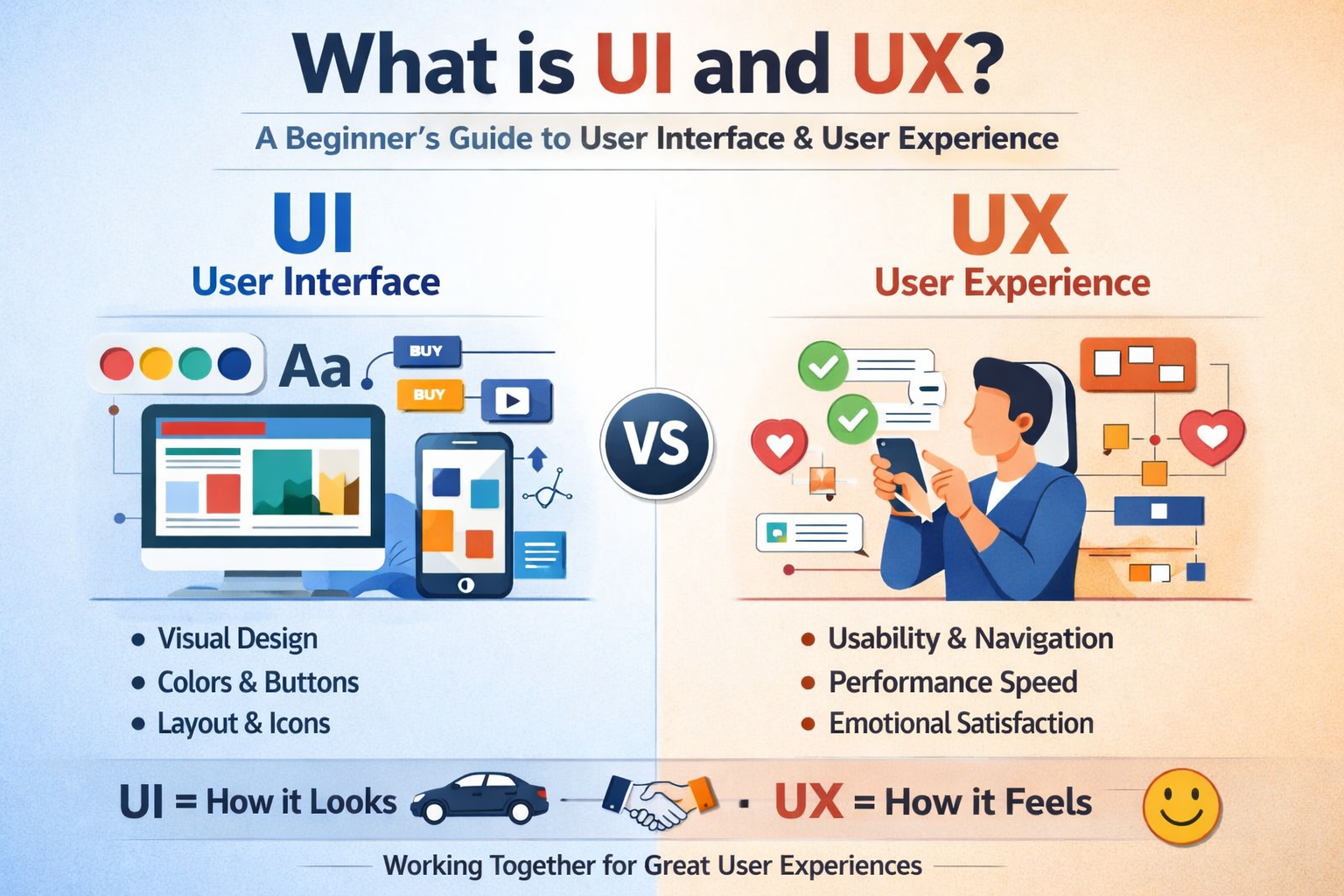
UI (User Interface) focuses on the visual and interactive elements of a digital product, while UX (User Experience) focuses on how users feel while using that product. Together, they create seamless digital experiences.
Whether you're a student, business owner, aspiring designer, developer, marketer, or entrepreneur, understanding UI and UX is no longer optional — it's essential.
Why UI/UX Matters in 2026
Digital competition is higher than ever
Users have zero tolerance for bad experiences
Google prioritizes user experience metrics for ranking
Businesses rely on conversion-focused designs
UI/UX skills offer high-paying global career opportunities
What You Will Learn in This Guide
What is UI and UX in simple terms
Key elements and components
Differences between UI and UX
Business impact of UI/UX
Career scope in 2026
Tools used in UI/UX design
Common mistakes beginners should avoid
Step-by-step guide to start learning UI/UX
II. What is UI (User Interface)?
A. Simple Definition
UI (User Interface) refers to all the visual elements users interact with when using a website, app, or digital product.
Simply put:
👉 UI is how a product looks and feels visually.
It includes everything users see, click, scroll, tap, or read on the screen.
B. Key Components of UI
1. Buttons
Buttons guide user actions like:
Sign Up
Buy Now
Submit
Download
Good buttons are clear, clickable, and visible.
2. Typography
Typography includes:
Font style
Font size
Line spacing
Readability
Good typography improves reading comfort, accessibility, and visual appeal.
3. Colors
Color selection impacts:
Branding
Emotions
Trust
Engagement
For example:
Blue → Trust & professionalism
Red → Urgency & excitement
Green → Growth & success
4. Icons
Icons make interfaces clean, intuitive, and visually appealing, helping users understand actions quickly.
5. Layout
Layout defines:
Content arrangement
Visual hierarchy
Information flow
Good layout ensures users find information effortlessly.
6. Forms
Forms collect user information and must be:
Simple
Minimal
Easy to fill
Mobile-friendly
C. Types of User Interfaces
1. Graphical User Interface (GUI)
Most common interface:
Websites
Mobile apps
Desktop software
Uses visual elements like buttons, icons, images, and menus.
2. Voice User Interface (VUI)
Uses voice commands:
Alexa
Google Assistant
Siri
Example: “Book a cab”
3. Gesture-Based Interface
Used in:
Smartphones
Gaming devices
AR/VR environments
Example: Swiping, pinching, motion control.
D. Real-World Examples of UI
E-Commerce Website Layout
Product images
Add to Cart buttons
Filters
Search bar
Checkout page
Mobile Banking App Design
Login screen
Dashboard
Transfer buttons
Transaction history
III. What is UX (User Experience)?
A. Simple Definition
UX (User Experience) refers to the overall experience a user has while interacting with a product.
Simply put:
👉 UX is how a product works and feels emotionally.
UX focuses on:
Ease of use
Comfort
Speed
Satisfaction
B. Core Elements of UX
1. Usability
How easy is it to use the product?
2. Accessibility
Can everyone use it, including people with disabilities?
3. Navigation
Can users easily move from one page to another?
4. Performance Speed
How fast does the website or app load?
5. Emotional Response
Does the experience feel pleasant or frustrating?
C. UX in Action
Booking a Ticket Online
Good UX ensures:
Simple seat selection
Clear pricing
Fast checkout
Smooth confirmation
Ordering Food via an App
Great UX includes:
Easy browsing
Smart recommendations
Quick payment
Live order tracking
IV. UI vs UX: What’s the Difference?
A. Side-by-Side Comparison
| UI | UX |
|---|---|
| Visual design | Overall experience |
| Colors, fonts, buttons | Flow, usability, satisfaction |
| Look & feel | Function & ease |
| Presentation | Performance |
| Aesthetic appeal | Emotional comfort |
B. Simple Analogy
UI is the car’s design — color, shape, dashboard
UX is how smoothly it drives — comfort, speed, safety
A beautiful car with bad driving experience fails — same with websites.
C. Why They Must Work Together
Without good UX, UI fails.
Without good UI, UX feels incomplete.
Together, they create powerful digital experiences.
V. Why UI & UX Matter for Businesses
Great UI/UX directly impacts growth, profits, and brand loyalty.
1. Higher Conversions
Better design = more signups, sales, and leads.
Good UX can increase conversion rates by up to 400%.
2. Lower Bounce Rate
Users stay longer when websites feel easy and engaging.
3. Customer Retention
Happy users come back.
4. Brand Perception
Premium design builds trust and authority.
5. Higher ROI & Revenue
Improved experience = increased revenue & customer lifetime value.
Every $1 invested in UX delivers up to $100 in return.
VI. Why UI/UX is a High-Demand Career in 2026
UI/UX design is one of the fastest-growing career fields globally.
Key Reasons:
1. Massive Tech Growth
Startups
SaaS companies
E-commerce
EdTech
FinTech
All require skilled UI/UX designers.
2. Remote Job Opportunities
Work with:
US startups
European agencies
Global brands
From anywhere in the world.
3. Attractive Salary Packages
| Level | Average Salary (India) |
|---|---|
| Fresher | ₹4 – ₹8 LPA |
| Mid-Level | ₹10 – ₹18 LPA |
| Senior | ₹20 – ₹40+ LPA |
4. Freelancing & Global Projects
UI/UX designers earn $25–$100 per hour globally.
5. Required Skills
Visual design
User research
Wireframing
Prototyping
Interaction design
Psychology principles
VII. Tools Used in UI/UX Design
1. Wireframing Tools
Figma
Balsamiq
Sketch
2. Prototyping Tools
Adobe XD
Figma
InVision
3. Research Tools
Hotjar
Google Analytics
Maze
4. Collaboration Tools
Slack
Notion
Miro
VIII. Common UI/UX Mistakes Beginners Should Avoid
1. Overcomplicated Design
Simplicity always wins.
2. Poor Mobile Optimization
Over 70% traffic comes from mobile devices.
3. Slow Loading Speed
Every second delay drops conversions by 7%.
4. Confusing Navigation
Users should find what they need within 3 clicks.
5. Ignoring User Feedback
Real users always guide better design.
IX. How to Start Learning UI/UX (Step-by-Step Guide)
Step 1: Learn Design Fundamentals
Color theory
Typography
Layout principles
Visual hierarchy
Step 2: Understand User Psychology
Learn:
User behavior
Cognitive load
Attention patterns
Emotional triggers
Step 3: Practice Wireframing
Start designing:
Landing pages
App screens
Dashboards
Step 4: Create Portfolio Projects
Design:
E-commerce website
Mobile app UI
SaaS dashboard
Step 5: Take Structured Training
A professional UI/UX course provides:
Live projects
Industry tools
Mentorship
Job assistance
Portfolio development
Structured training helps beginners become job-ready faster.
X. Conclusion
In today’s competitive digital era, UI and UX are no longer optional — they are essential.
UI focuses on how things look.
UX focuses on how things work and feel.
When both work together, they create powerful digital experiences that drive business success and user satisfaction.
Whether you're:
Building a website
Running a startup
Planning a tech career
Launching a product
UI & UX knowledge will give you a massive advantage.
Great design is invisible, but its impact is unforgettable.
If you want to improve your website performance, boost conversions, or start a high-paying career — now is the perfect time to invest in UI/UX skills.